How to configure a bilingual English–Spanish UI for MAIKONG colon hydrotherapy units in U.S. clinics · body
Quick answer
The fastest, lowest‑risk approach is to localize patient‑facing text and safety alerts first, keep operator controls in the clinic’s working language by default, and expose a simple patient language selector on the observation/visitor screen. On MAIKONG dual‑screen units (example models MK‑530 / MK‑550) that means: 1) translate consent, pre‑treatment prompts and alarm labels to Spanish; 2) keep critical control labels and configuration menus locked to operator accounts; and 3) add an account default plus a session‑level override so staff can change the patient display per appointment without changing machine configuration. Follow a short checklist (hardware, network, roles, test script) before go‑live and run alarm acceptance tests with bilingual staff and a patient actor.
Contents
Why language options matter for bilingual clinics
Language is a clinical safety and workflow issue in colon hydrotherapy. Patient-facing prompts and consent text are where misunderstandings become operational risks: incorrect comprehension may delay procedures, generate unnecessary alarms, or invalidate informed consent. Observation screens and patient instructions are what patients read while on the bed; those must be clear in the patient’s preferred language. Operator consoles, by contrast, carry configuration, dosing and pressure controls that should remain restricted to trained staff to avoid accidental changes.
Quick prerequisites checklist — what IT and operations must confirm
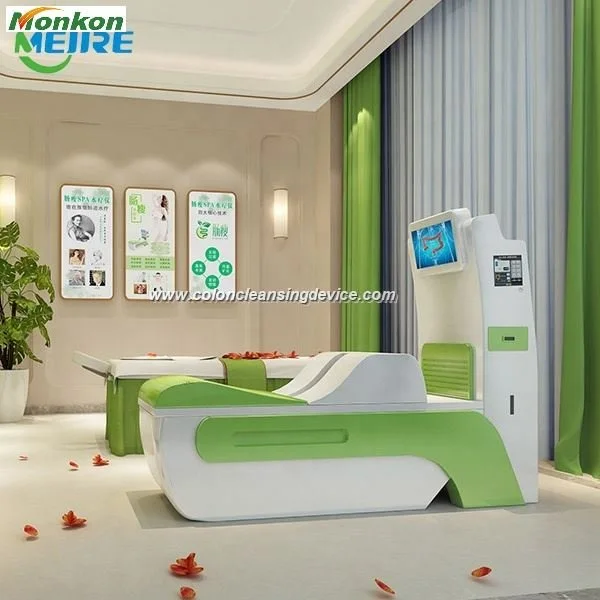
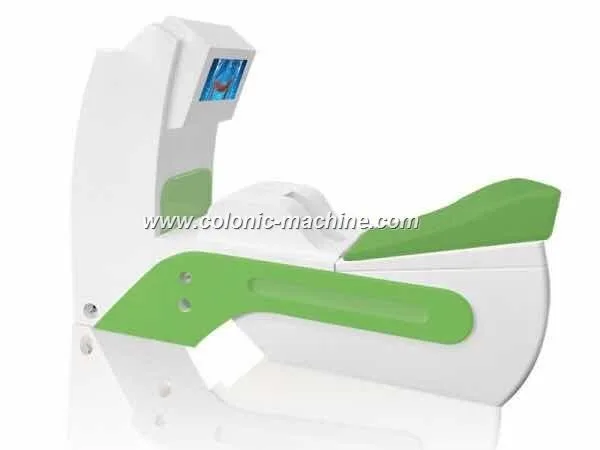
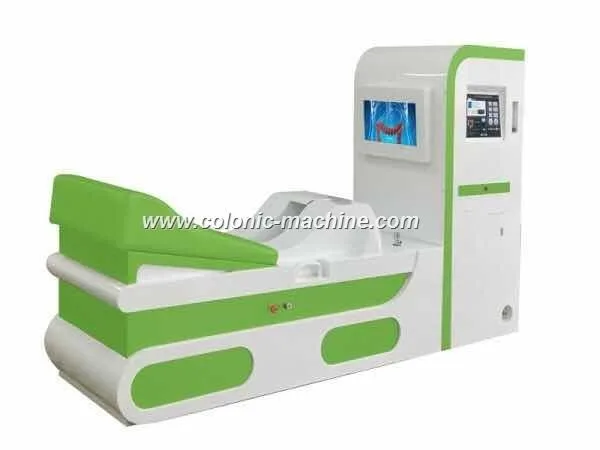
Hardware and model: confirm your unit model (for example, MK‑530 or MK‑550) and its dual‑screen layout. The MAIKONG MK‑series offers a 15‑inch embedded touch operator screen (1024×768) and a 19‑inch observation display (1366×768), which defines where to place translated text and patient prompts.
Network and software: verify whether the unit will be standalone or join your clinic LAN. If using remote translation updates or a config server, ensure firewall and TLS policies allow only approved hosts.
User roles: identify operator, supervisor and maintenance accounts. Reserve configuration changes and safety setpoints for supervisor accounts.
Data protections: confirm how session logs and consent records are stored and whether they require bilingual recordkeeping in the patient file.
Consumables & sterilization: ensure staff know consumable names and replacement prompts in both languages (the devices use disposable guide heads and routine sterilization; see your product manual).
Which UI elements to localize first
Prioritize items that affect consent, safety and the patient experience:
Consent screens and pre‑treatment checklists (Spanish translations must exactly match clinic legal wording).
Patient‑facing prompts and instructions shown on the 19‑inch observation screen (arrival, positioning, how to call staff, privacy notices).
Alarms and pressure/temperature warnings: text that appears when the machine auto‑stops must be readable by the patient and by staff; alarm text should appear on both screens in the session language and be replicated on the operator console in the operator language.
Numeric readouts and units (volume, ml/min, water temperature) — see “Terminology and unit localization” below.
Mapping UI language roles: patient display vs. operator console vs. observation screen
How to configure a bilingual English–Spanish UI for MAIKONG colon hydrotherapy units in U.S. clinics · body
Use the dual‑screen layout to separate roles:
Operator touch screen (15″, 1024×768) — workflow control, setpoints, dosing and safety overrides. Keep the default in your clinic’s working language and lock critical controls to authorized accounts.
Observation / patient screen (19″, 1366×768) — patient prompts, consent confirmation, and optional educational video. This is the natural place for patient language selection and session‑level overrides.
Mirrored alarms — design the alarm layout so critical messages appear on both screens simultaneously in both languages when an auto‑stop or pressure alarm occurs.
Dual‑screen considerations for MAIKONG-family units (operator 15″ touch, 19″ observation)
On MAIKONG dual‑screen units we recommend the following language split: operator UI in the clinic language (English), the 19‑inch observation screen defaulting to Spanish when the patient indicates that preference, and a session toggle on the operator screen that sets the observation display without changing operator credentials. The MAIKONG dual‑screen hardware is fixed at the stated resolutions — plan text length and font sizes accordingly.
Choosing which languages to ship: U.S. priorities
How to configure a bilingual English–Spanish UI for MAIKONG colon hydrotherapy units in U.S. clinics · body
For most U.S. bilingual clinics the priority order is Spanish first; add tag‑along languages (Portuguese, Haitian Creole, Chinese) only if your local patient mix justifies the extra translation QA effort. Ship Spanish by default for clinics stating a bilingual service model — translations for consent should be performed or reviewed by a medical translator or legal advisor.
Terminology and unit localization — what to standardize
How to configure a bilingual English–Spanish UI for MAIKONG colon hydrotherapy units in U.S. clinics · body
Numeric formats and units must be consistent across languages. In practice:
Use ml and ml/min for volume and flow (0–830 ml/min is the device’s water flow adjustment range). Preserve numeric units exactly.
Temperature: display both Celsius and Fahrenheit if your clinic staff prefer one; the device maintains water temperature in a 30–40℃ control range and can hold ~37℃ ±2℃. Do not reinterpret supplier temperature ranges as clinic guidelines — show raw device values.
Pressure alarms: show the numeric value and simple language (e.g., “High pressure — stopping” / “Alta presión — detenido”).
Translation quality guidelines — who does what
In‑house bilingual staff: fastest, good for phrasing and local idiom; useful for UI brevity and tone checks, but not sufficient for legal consent text.
Professional medical translator: required for consent and any legal wording; they provide accuracy and terminology consistency.
Community review: use for patient-facing phrasing and clarity checks, but only after a professional translation signs off on legally sensitive text.
Software settings and toggles to include
Clinic/account default language (set at install).
Session‑level override (one‑tap selector on the observation screen), which does not change operator console defaults.
Quick‑switch language button for alarms so staff can toggle alarm text to the other language while troubleshooting.
Language audit log: record which language was active for each session for consent traceability.
User roles and permissions
Lock the following to supervisor or operator accounts:
Pressure and flow setpoints
Temperature control limits and anti‑dry‑burn thresholds
Software configuration and language defaults
Allow patient‑language selection at session level on the observation screen without exposing the configuration menus.
Testing checklist before go‑live
Run these tests with bilingual staff and a patient actor:
Functional: switch session language and verify all patient‑facing prompts, consent screens and instructional videos show the correct language and fit the display without truncation.
Alarm safety: trigger a pressure alarm and confirm an identical alarm message shows on both screens; test that the operator console displays the alarm in operator language while the observation screen shows the patient language.
Dosing and numeric readouts: confirm units and formats (ml, ml/min, ℃) are consistent in both languages.
Consent traceability: complete a session where the patient accepts consent on the Spanish screen; verify the session log records the language and timestamp.
Rollback: test reverting to the clinic default language and ensure no user settings are lost.
Compact model comparison (useful fields)
Model
Bed / Main machine (size & weight)
Operator / Observation screens
Lead time
English–Spanish example mappings (practical, short strings)
Use short strings to avoid truncation on fixed resolutions. Below are examples you can adapt for patient and operator displays:
Start session — Iniciar sesión
Consent — Consentimiento
Position: lie on your left side — Posición: acuéstese sobre su lado izquierdo
Call staff — Llame al personal
High pressure — Stopping — Alta presión — detenido
Water temperature: 37℃ — Temperatura del agua: 37℃
Evidence
When we reference unit hardware (screen sizes and resolutions) and control ranges, those values come from MAIKONG product specifications for the MK series. The dual‑screen configuration and the 15‑inch operator plus 19‑inch observation display are documented by MAIKONG for the MK family.
Risks and limitations
Translations of legal consent text must be reviewed by a qualified legal or compliance professional before use; we do not provide legal advice. Device temperature, pressure and flow ranges shown in the UI are device values and not clinical treatment protocols — clinic staff must follow local clinical policies. Installation electrical details for your country or local code may vary; the product specification lists power ranges but you must confirm on‑site compatibility and permitted wiring with a qualified electrician.
Implementation tips from our installers
Keep patient instructions very short on the 19‑inch display; longer explanations belong in printed materials or an on‑screen linked document that the patient can request in their language.
Include an on‑screen checkbox for the patient to confirm they understood the consent in their chosen language; log that checkbox with the session record.
Train all staff to perform a language toggle and to run an alarm test at the start of each shift.
Next step — request a configuration quote
If you want a MAIKONG‑prepared bilingual software package or help implementing session toggles and audit logging for MK‑530 or MK‑550 units, email us with your clinic language list, unit model (for example MK‑530 or MK‑550), and preferred delivery date. We will prepare an implementation quote and a recommended configuration checklist for your IT and operations team.
We declare MAIKONG Industry Co., Ltd. holds the following company‑stated declarations: ISO 9001, CE, ISO 13485. These are company declarations; confirm any regulatory or certification requirements for your clinic with local authorities.
This content is provided for learning, information sharing and professional communication only. It is not medical advice and is not a basis for treatment or diagnosis. Confirm suitability, operation and purchasing requirements against the product manual, local regulations and qualified professional guidance.
This content is provided for learning, information sharing and professional communication only. It is not medical advice and is not a basis for treatment or diagnosis. Confirm suitability, operation and purchasing requirements against the product manual, local regulations and qualified professional guidance.